Digital controls.Physical character.
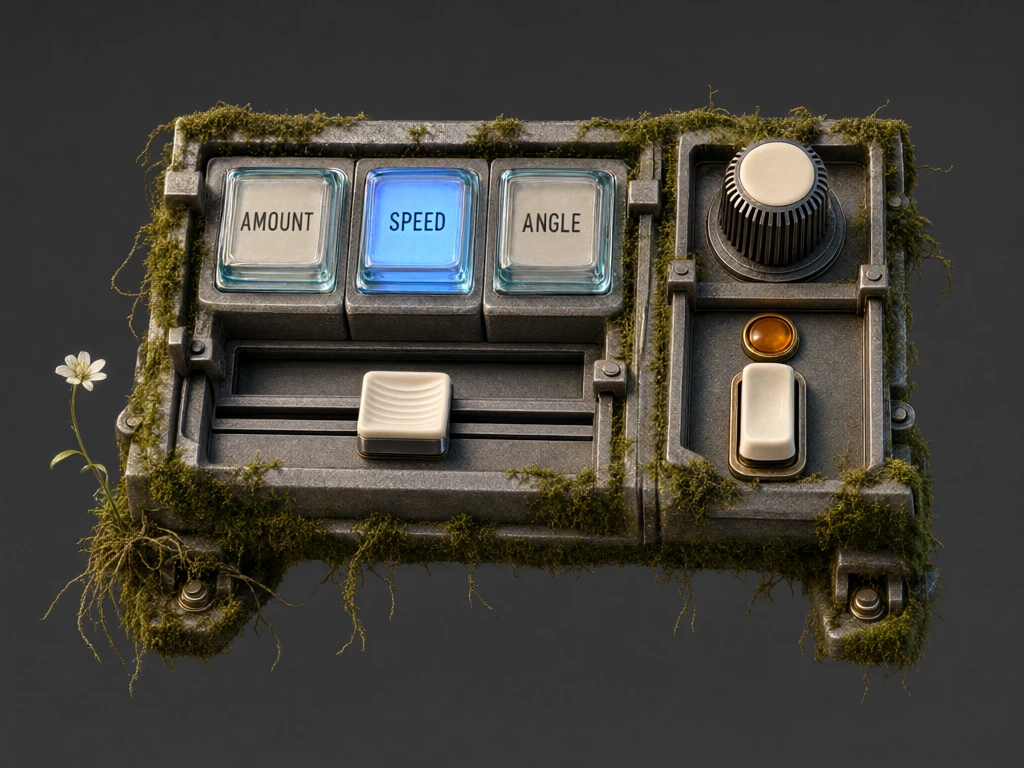
Moss controls explores the feel of an interface through glass keys, worn metal, ivory controls and a little slow-growing life.
Preparing the first playable frame…
Choose a glass mode, then drag around the knob to adjust it. Each mode remembers its value. The ivory slider is independent. Use the rocker to lock or enable the controls. Keyboard: Enter or Space for keys; arrow keys, Home and End for values; Escape cancels a gesture.
What makes a control
feel inviting?
Depth, light and a clear response can make a digital control feel less abstract. This experiment brings those cues into a small panel you can operate in the browser.
Press the glass keys, turn the knob and move the slider. The panel also contains small variations in moss and flowers.
Image, motion
and interaction.
The visual control states use generated motion frames, connected to browser inputs. The result is a study in combining photographic material character with direct interaction.
This is a personal exploration, rather than a client case study or a general-purpose interface library.
A picture becomes
an instrument.
Each mode keeps its own knob value; the slider remains independent. The rocker enables or locks the controls. Cancelling a gesture restores its starting value.
Inputs select keyed native motion frames rather than starting an unrelated film. A bounded frame cache keeps the interaction responsive without retaining the whole image bank in memory.
The useful pattern is the separation: photographic state, input behaviour and application value can be developed and checked independently.